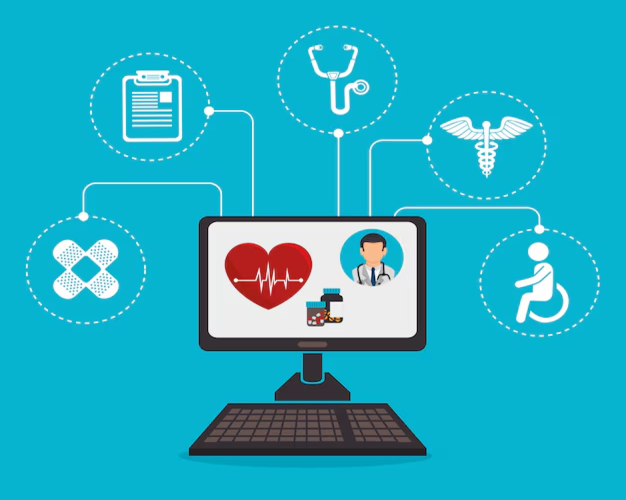
Healthcare organizations face unique challenges when implementing Remote Access Solutions. The Health Insurance Portability and Accountability Act (HIPAA) imposes stringent requirements for protecting patient data, and violations can result in fines exceeding millions of dollars. Whether you’re a small clinic or an extensive hospital network, understanding how to maintain secure remote access while meeting HIPAA compliance is essential for protecting both your patients and your organization.
Understanding HIPAA Requirements for Remote Desktop Solutions
HIPAA doesn’t specifically mandate particular technologies, but it requires healthcare organizations to implement appropriate safeguards for Protected Health Information (PHI). Remote access systems that handle PHI must meet stringent security standards outlined in the HIPAA Security Rule.
Core HIPAA Security Rule requirements:
- Administrative safeguards, including risk assessments and workforce training
- Physical safeguards protecting equipment and facilities
- Technical safeguards, including access controls and encryption
- Regular security evaluations and updates to address vulnerabilities
- Business associate agreements with all technology vendors
The Security Rule applies to all electronic PHI, which includes everything from patient names and addresses to medical records and billing information. Any remote access system that touches this data must comply fully.
Encryption Standards: TLS v1.2 and AES-256 Explained.
Encryption transforms readable data into coded information that unauthorized users cannot decipher. HIPAA requires encryption both during transmission (data moving across networks) and at rest (stored data). Modern healthcare organizations should utilize Transport Layer Security (TLS) version 1.2 or higher for data transmission.
Essential encryption requirements:
- TLS 1.2 or TLS 1.3 for all remote connections
- AES-256 encryption for maximum data protection
- End-to-end encryption ensures data remains protected throughout transmission
- Certificate-based authentication prevents man-in-the-middle attacks
- Regular updates to encryption protocols as standards evolve
AES-256 encryption, the Advanced Encryption Standard with 256-bit keys, is currently considered unbreakable with existing technology. This level of protection ensures that even if someone intercepts your remote access connection, they cannot read the patient data being transmitted.
Audit Logging and Compliance Reporting
HIPAA mandates detailed documentation of who accesses patient data, when they access it, and what actions they perform. Your remote access solution must create comprehensive audit trails that track every session and activity.
Required audit logging elements:
- User identification and authentication records
- Date and time stamps for all access attempts
- Specific actions taken during each session
- Failed login attempts and security alerts
- Session duration and disconnection reasons
- File transfers and data modifications
These logs must be retained for a minimum of six years, as required by HIPAA regulations. Organizations should regularly review logs to identify unusual access patterns that may indicate security breaches or policy violations.
Two-Factor Authentication Implementation
Single-password authentication no longer provides adequate security for accessing systems containing PHI. Two-factor authentication (2FA) adds a crucial second verification step, dramatically reducing the risk of unauthorized access even when passwords are compromised.
Effective 2FA implementation strategies:
- SMS codes sent to registered mobile devices
- Authenticator apps generate time-based codes
- Hardware tokens provide physical authentication
- Biometric verification using fingerprints or facial recognition
- Smart cards requiring physical possession plus PIN codes
Healthcare organizations should mandate 2FA for all remote access to systems containing PHI. While this adds a small step to the login process, it provides exponential security improvements. Many successful healthcare data breaches could have been prevented with the proper implementation of 2FA.
Session Recording Requirements
Some healthcare organizations are required to record remote access sessions for compliance and quality assurance purposes. Session recording captures everything that happens during a remote connection, creating a video-like record of all activities.
Session recording best practices:
- Inform all users that sessions may be recorded
- Store recordings securely with encryption
- Implement retention policies aligned with legal requirements
- Restrict access to recordings to authorized compliance personnel
- Use recordings for training and incident investigation
However, balancing recording needs against privacy concerns is necessary. Not every healthcare remote access scenario requires recording. Evaluate your specific compliance obligations and risk factors before implementing comprehensive session recording.
Data Residency Considerations
HIPAA doesn’t explicitly require that data remain within the United States. Still, many healthcare organizations prefer keeping patient data on domestic servers to simplify compliance and avoid complications associated with international data transfers.
Data residency factors to evaluate:
- Physical location of remote access servers
- Cloud provider data center locations
- Backup and disaster recovery site locations
- Jurisdiction governing data privacy laws
- Business associate agreements covering data storage
When selecting remote access software, ask vendors specifically about where data is stored and processed. Solutions that route connections through international servers may create unnecessary compliance complexity.
RemotePCNow HIPAA-Compliant Features
Healthcare-focused remote access solutions, such as RemotePCNow, include built-in features designed for HIPAA compliance. These include automatic encryption using current standards, comprehensive audit logging capturing every access event, and mandatory two-factor authentication options.
RemotePCNow compliance advantages:
- Pre-configured security settings meeting HIPAA requirements
- Business Associate Agreement available for covered entities
- Detailed session logs are exportable for compliance reviews
- Automatic security updates maintain current standards
- Technical support familiar with healthcare compliance needs
Starting at $9.95 annually, RemotePCNow offers enterprise-grade security at small practice pricing, making HIPAA compliance accessible regardless of an organization’s size.
Best Practices for Healthcare IT Teams
Beyond technology selection, organizational policies and procedures determine compliance success. Healthcare IT teams should conduct annual risk assessments to identify potential vulnerabilities in remote access systems.
Essential IT team responsibilities:
- Regular security training for all staff with remote access
- Immediate access termination when employees leave
- Quarterly review of access permissions and user accounts
- Penetration testing to identify security weaknesses
- Incident response plans for potential breaches
Document all security measures, training sessions, and policy updates. HIPAA compliance requires demonstrating an ongoing commitment to security, not just implementing technology.
Compliance Checklist for Healthcare Organizations
Before deploying or continuing to use remote access solutions for systems containing PHI, verify that the following requirements are met. Ensure your remote access software uses TLS 1.2 or higher with AES-256 encryption. Confirm that comprehensive audit logs capture all required information and are retained appropriately.
Final compliance verification:
- ✓ Encryption meets current standards
- ✓ Audit logging captures all required data points
- ✓ Two-factor authentication enforced for all users
- ✓ Business Associate Agreement signed with vendors
- ✓ Regular security assessments scheduled and documented
- ✓ Employee training completed and recorded
- ✓ Incident response procedures documented and tested
Regular compliance reviews, ideally quarterly, help identify gaps before they become violations. Consider engaging HIPAA compliance consultants for annual assessments if internal expertise is limited.
Moving Forward with Confidence
HIPAA compliance for remote access doesn’t need to be overwhelming. By selecting appropriate technology, implementing strong policies, and maintaining consistent oversight, healthcare organizations of any size can provide secure remote access while protecting patient privacy and avoiding costly penalties.
Connect with RemotePCNow
Need guidance on implementing HIPAA-compliant remote access? Follow us on Facebook, Instagram, LinkedIn, and X for expert insights on healthcare IT best practices, compliance updates, and security tips. Do you have specific questions about your healthcare organization’s remote access needs? Visit our Contact Us page—our team understands healthcare compliance requirements and can help you find the right solution.