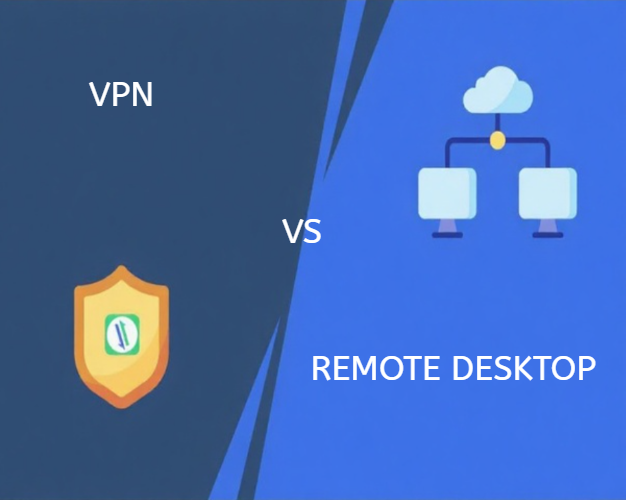
Remote Desktop vs. VPN: Remote work technology can be confusing, especially when you’re trying to figure out whether Remote Desktop or a VPN is the right choice. Both tools enable working from anywhere, but they function completely differently and serve distinct purposes. Understanding these differences helps you select the right solution for your specific needs, potentially saving thousands of dollars and countless hours of frustration. This guide breaks down everything you need to know about Remote Desktop vs VPN for remote work.
Understanding Remote Desktop: How It Works
Remote Desktop technology lets you control one computer from another location. When you use Remote Desktop, you’re essentially sitting at your office computer, even though you’re physically somewhere else. Every mouse click, keyboard stroke, and application runs on the remote computer—your local device displays the screen and sends your inputs.
Key characteristics of Remote Desktop:
- Provides complete control over a specific computer
- Applications and files remain on the remote machine
- Requires the host computer to stay powered on
- Works across different operating systems with proper software
- Uses minimal bandwidth since only screen updates are transferred
Think of Remote Desktop as having an extremely long keyboard and mouse cable connecting you to your office computer. The actual computing happens at your desk, but you control it from anywhere.
Understanding VPN: How It Works
Virtual Private Networks (VPNs) create encrypted tunnels between your device and your company’s network. Unlike Remote Desktop, VPN doesn’t give you control over another computer. Instead, it enables your remote device to function as if it were physically connected to your office network.
Key characteristics of VPN:
- Secures your internet connection with encryption
- Grants access to network resources like file servers and printers
- Applications run locally on your device
- Requires software installation on your computer
- All internet traffic routes through the company network
A VPN is like building a private, secure tunnel from wherever you are directly into your office building. Once connected, you can access everything on the office network, but you’re still using your own computer’s processing power.
Security Comparison: Which Protects Your Data Better?
Both technologies provide security, but in different ways. Remote Desktop security depends entirely on the host computer’s protection. If that machine has strong security measures, antivirus software, and updated patches, your connection remains secure. However, Remote Desktop connections can be vulnerable if not correctly configured with strong passwords and Network Level Authentication.
Remote Desktop security considerations:
- Requires strong authentication (passwords, two-factor authentication)
- Vulnerable to brute force attacks if exposed to the internet
- Should use encrypted connections (TLS/SSL)
- Limited to accessing specific computers, reducing the attack surface
- Firewall rules are crucial for protection
VPNs excel at securing your internet connection itself. All data traveling between your device and the company network gets encrypted, protecting against eavesdropping on public Wi-Fi networks. However, VPNs don’t automatically protect your local device—you still need antivirus software and security updates.
VPN security considerations:
- Encrypts all network traffic automatically
- Protects against man-in-the-middle attacks
- Masks your IP address and location
- Requires robust VPN server security
- Local device security remains your responsibility
For maximum security, many organizations utilize both technologies in tandem. Connect through VPN first, then use Remote Desktop to access specific computers. This layered approach provides comprehensive protection.
Performance and Speed Considerations
Remote Desktop typically delivers faster performance for running applications because the actual computing happens on a powerful office computer. Your local device only needs to display the screen, making it possible to run demanding software on lightweight laptops or tablets.
Remote Desktop performance factors:
- Speed depends on the internet connection quality and latency
- Screen resolution and color depth affect bandwidth usage
- High-end applications run smoothly regardless of local device specs
- Video and animation may lag over slower connections
- Connection drops interrupt your entire work session
VPN performance varies significantly based on several factors. Since your device does all the computing, you need adequate local hardware for demanding tasks. VPNs add encryption overhead, which can slow your internet speed by 10-30% depending on the service quality and server load.
VPN performance factors:
- Internet speed reduction from encryption processing
- Server location affects latency and responsiveness
- Local device hardware determines application performance
- Multiple simultaneous users can congest VPN servers
- File transfers from network servers may be slower than local access
Use Case Scenarios: When to Use Remote Desktop
Remote Desktop shines in specific situations. If you need to access a single, powerful workstation—like a designer’s computer with expensive software or an accountant’s machine with proprietary financial applications—Remote Desktop is ideal. It’s also perfect when your work files must stay on office computers for compliance or security reasons.
Best Remote Desktop use cases:
- Accessing specialized software not licensed for multiple devices
- Working with large files that shouldn’t be synchronized or downloaded
- Technical support and IT troubleshooting
- Maintaining strict data locality requirements
- Using powerful office hardware from lightweight devices
Healthcare professionals often prefer Remote Desktop because patient data never leaves the secure office environment. Similarly, companies handling sensitive financial information benefit from centralized data storage.
Use Case Scenarios: When to Use VPN
VPNs are more effective when you require flexibility and mobility. If you frequently switch between devices, work on your own laptop, or need access to multiple network resources simultaneously, a VPN provides the connectivity you need.
Best VPN use cases:
- Accessing file servers, databases, and network printers
- Working on personal devices while maintaining security
- Connecting to multiple network resources simultaneously
- Protecting public Wi-Fi connections during travel
- Maintaining privacy while browsing the internet
Sales teams traveling to client sites benefit from VPN connections that let them access CRM systems, pricing databases, and shared drives while keeping their devices secure on hotel Wi-Fi.
Can You Use Both Together?
Absolutely, and many organizations do exactly that. The combined approach provides defense-in-depth security and maximum flexibility. Connect to your company VPN first, establishing a secure tunnel to your office network. Then use Remote Desktop to access specific computers within that network.
Benefits of using both technologies:
- Layered security protects against multiple threat types
- VPN secures the connection, and Remote Desktop controls specific machines
- Access both network resources and powerful workstations
- Simplified firewall configuration by routing Remote Desktop through VPN
- Redundancy if one system experiences technical issues
This combination requires more initial setup but provides the most comprehensive remote work solution.
Cost Analysis: Budgeting for Remote Work Technology
Remote Desktop solutions range from free (built-in Windows features) to enterprise-grade software, such as RemotePCNow, starting at $9.95 per year. VPNs similarly vary from consumer services, which cost $5-$15 per month, to business solutions, which cost $50-$200 per user per year.
Total cost considerations:
- Software licensing or subscription fees
- Additional hardware requirements (servers, routers)
- IT staff time for setup and maintenance
- Training costs for employees
- Support and troubleshooting expenses
Small businesses often find dedicated remote access software, such as RemotePCNow, to be more cost-effective than maintaining a VPN infrastructure, especially when their technical staff is limited.
Making Your Decision: Recommendation by Business Size
For solo entrepreneurs and small teams (1-5 people), Remote Desktop software typically provides the most straightforward and most affordable solution. You avoid complex network configuration while maintaining access to your office computers.
Medium businesses (10-50 employees) benefit from combining both technologies. Deploy VPN for general network access and Remote Desktop for specific high-powered workstations or secure data access.
Larger enterprises (50+ employees) typically implement comprehensive solutions that include both VPN and Remote Desktop, with centralized management, detailed access controls, and extensive security monitoring.
Connect with RemotePCNow
Still wondering which solution fits your remote work needs? Follow us on Facebook, Instagram, LinkedIn, and X for more comparisons, tutorials, and expert guidance on remote work technology. Ready to simplify your remote access setup? Visit our Contact Us page to discuss your specific requirements with our team.